Variant 02
Date Block
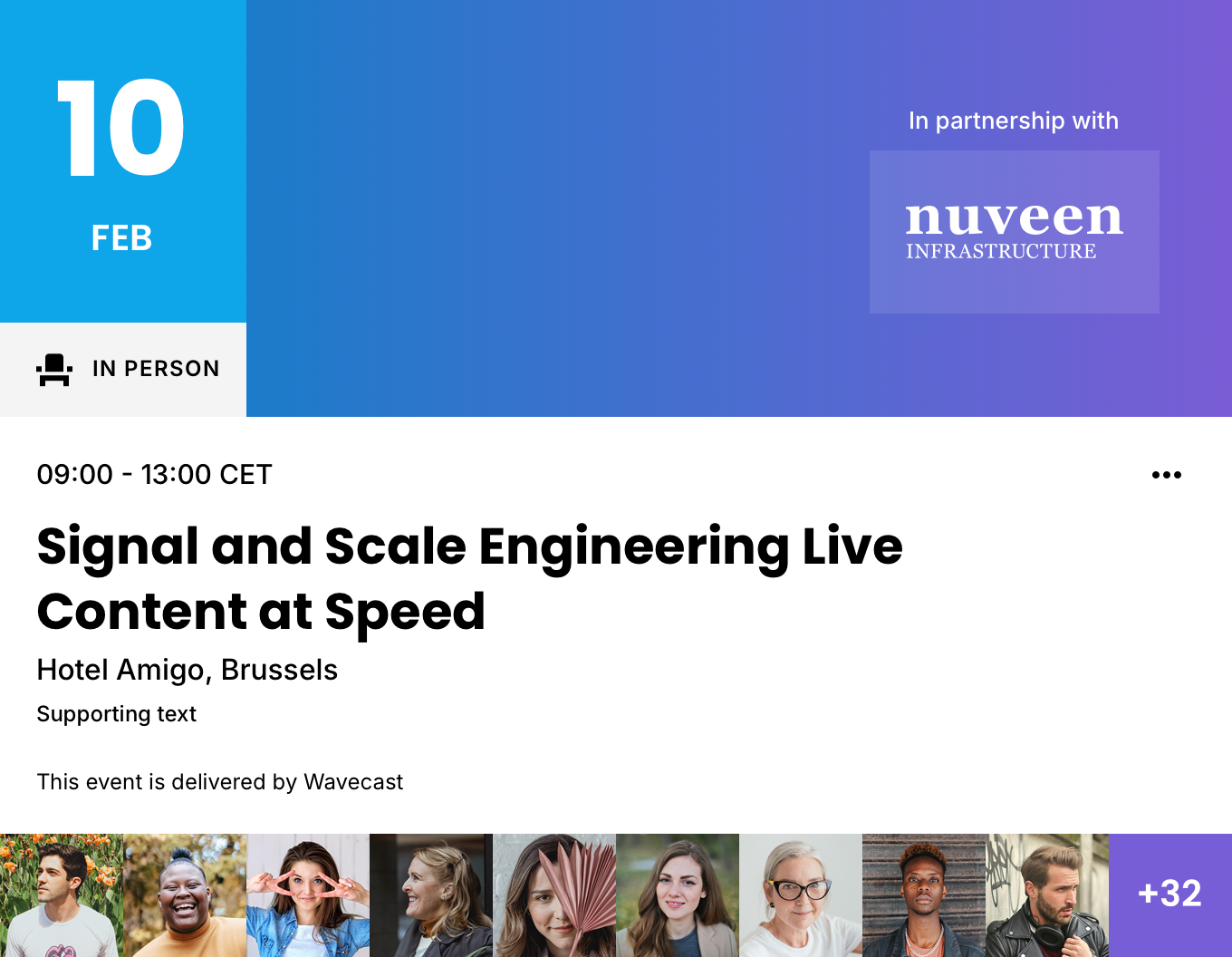
The Date Block Featured Event Card — the date is shown as a block overlaid on the media (carrying the attendance mode), and the callout shows the time only.
01
Details
Container · 4C · 6C (native 6C)
TierVariant
FamilyEvents
ObjectFeatured
VariantDate Block
Canonical nameVariant | Events / Featured / Date Block
IDevent_featured_card_date_block
Dark-mode render coming soon
02
Component Anatomy
| # | Layer | Element / Style | Colour | Data | Notes |
|---|---|---|---|---|---|
| 1 | More | Icons / More | Icon | — | Overflow menu trigger, top-right of the content area. |
| 2 | Date Block | Date Block | Primary · Text 1 | Date & TimeAttendance Mode | Day / month block overlaid top-left on the media; carries the attendance mode beneath. Date Block only. See the element for internals. |
| 3 | Event Time | Callout / lg | Text 1 | Date & Time | Shows time only — the date moves to the Date Block. Source Date › Start date, Date › End date, Date › Timezone. The Live badge shows while the current time is within the event. |
| 4 | Event Title | Headline / md | Text 1 | Title | Up to 2 lines (560×72); truncates with an ellipsis. Source Event Title, or Listing Title as a per-card override. |
| 5 | Event Secondary Slot | Subhead / base | Text 1 | Venue / Subtitle | 1 line. In-person: venue (Venue name). Remote: subtitle (Event Sub-title, or Listing Subtitle per card). |
| 6 | Event Supporting Slot | Utility / base | Text 1 | Brand | Brand name in ALL CAPS (e.g. MOODY’S RATINGS). Source Categorisation › Business unit. |
| 7 | Footnote | Meta / base | Text 1 | Series / Channel | Links to the event’s series (Categorisation › Event Series) or channel (Channel); Listing footnote overrides with custom text. |
| 8 | Sponsor | Sponsor | Text 1 | Sponsors | “In partnership with” + partner logo, top-right over the media. Label always light — it sits on the scrim. |
| 9 | Speaker Strip | Speaker Strip | Text 1 | Speakers | Avatars along the foot of the media; overflow shows a “+N” counter. |
| 10 | Featured Image | Featured Image | — | Artwork | 3×1 image, clipped to the card radius. |
| 11 | Media Container | Image tint (scrim) | Primary | — | Semi-transparent Primary overlay over the image so text stays legible. |
| 12 | Card Background | Surface | White / Black | — | Card fill — White (LM) / Black (DM). Bottom layer. |
- Layer order, styles and colour tokens are read directly from the Sketch master (Featured Card - Date Block, LM + DM artboards). Element links (Accent) open the element spec; Sponsor, Speaker Strip and Featured Image are still to be created as elements.
- The Data column maps each data-fed slot to its source field. The Date Block carries the attendance mode, so this variant drops the inline In Person icon that OTB uses. Same five content slots and mapping rules as the Basic Event Card.
- These renders are the Promote act. The Live / Replay acts add the Badge to the media — renders pending.
Featured Event Card · Date Block
The Date Block Featured variant — details, anatomy and data read from the live Sketch master (WDS Docs - Featured Cards). Re-export the renders when the component changes.
The Date Block Featured variant — details, anatomy and data read from the live Sketch master (WDS Docs - Featured Cards). Re-export the renders when the component changes.