Variant 07
+ Date Block Compact
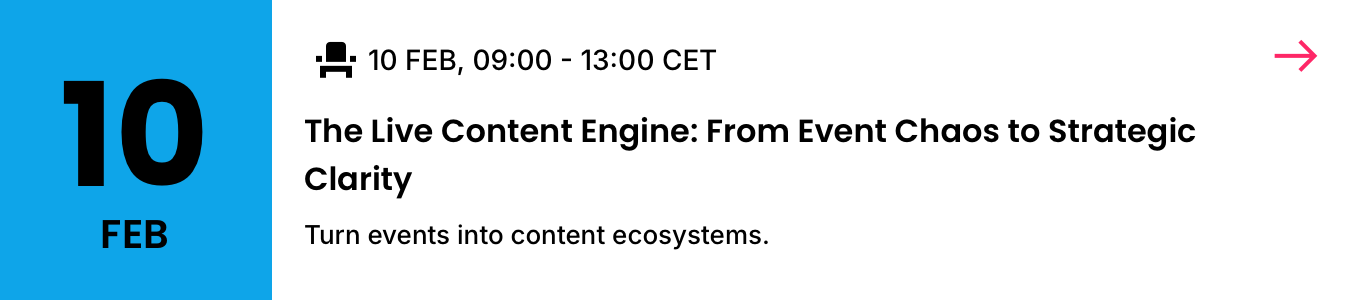
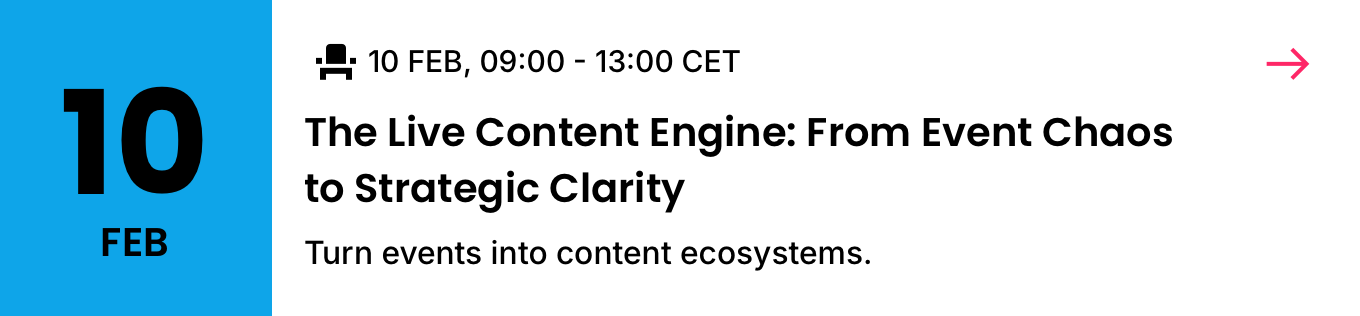
The compact date-block build — Top Slot (with the attendance icon), Primary and Secondary only, with a date-only block. The shortest 5050 date card. Three sizes; LM + DM.
01
Details
Container · 6C (two-up, media-led group)
TierVariant
FamilyEvents
BucketCards
Group5050 (6C)
Variant+ Date Block Compact
SizesSmall · Medium · Large (density)
Canonical nameEvents / Cards / 5050 / + Date Block Compact
IDevent-card-5050-date-block-compact

02
Component Anatomy
| # | Slot | Holds | Colour | Presence | Notes |
|---|---|---|---|---|---|
| 1 | Date Block | Date | Primary Brand Text 1 | Required | Sky (Primary Brand) tile carrying the date only — day + month, or month + year for a past / multi-year event. No Icon & Label: the attendance mode stays in the Top Slot. See Date Block. |
| 2 | Top Slot | Attendance Time | Icon Text 1 | Required | Includes the attendance icon (In Person / Online / Hybrid), left of the time (e.g. 09:00 – 13:00 CET). |
| 3 | Trailing Icon | — | Accent | Optional | Top-right affordance — More (M / L) or Arrow (S). See Icons. |
| 4 | Primary | Event Title | Text 1 | Required | The primary line. Source Event Title or Listing Title. |
| 5 | Secondary | Event Subtitle | Text 1 | Required | Venue or subtitle. The terminal slot in this variant. |
| 6 | Card Background | White / Black | Card fill — White (LM) / Black (DM). Bottom layer. |
Notes
- Compact is the shortest Date Block build — Top Slot (with the attendance icon), Primary and Secondary only. No supporting, listing description, button or footnote.
- The Date Block here carries the date only; the attendance mode stays in the Top Slot (no Icon & Label in the block).
- Slot roles and the type ramp match + Date Block.
03
Spacing
| Position | Applies to | Above | Below |
|---|---|---|---|
| Top | Top Slot, to the top edge | 12 sm | 8 xs |
| Between | Top Slot → Primary → Secondary | 8 xs | 8 xs |
| Bottom | Secondary (terminal slot), to the bottom edge | 8 xs | S 16 md · M / L 24 xl |
Notes
- Interior gaps match the Essentials model: top 12 sm, between 8 xs.
- Secondary is the terminal slot, so the bottom edge steps with size, from md 16 at Small to xl 24 at Medium and Large.
- The Date Block sits in the left column at the compact card height.
04
Typography
The Date Block carries its own fixed type; the copy slots step with density. Click a slot to reveal the role and a live specimen.
Date Block · fixed
10
FEB
Top Slot · Attendance + Time · Callout
09:00 – 13:00 CET
09:00 – 13:00 CET
Primary · Title · Headline → 700 at Large
The Live Content Engine
The Live Content Engine
The Live Content Engine
Secondary · Subtitle · Subhead
Hotel Amigo, Brussels
Hotel Amigo, Brussels
05
Examples
No examples published. + Date Block Compact follows the + Date Block slot model and type ramp — see it for the full data-state behaviour.
Events · Cards · 5050 · + Date Block Compact
The shortest date-block build. Details, anatomy and type read from the live Sketch master (WDS Design System v3.0).
The shortest date-block build. Details, anatomy and type read from the live Sketch master (WDS Design System v3.0).